Leave Your Message

Top CAD CAM Jewelry Machines for Jewelry Making

Jewelry production is balancing detail, speed, and cost. A tiny prong, a smooth inner band, or a clean stone seat can affect both appearance and fit. Precision matters. The World Gold Council’s Gold Demand Trends: Full Year 2024 reported global jewelry consumption of 1,877 tonnes, down 11% year over year. Yet spending reached a record value, reflecting higher gold prices. Volume and value tell different stories. Bain & Company and Altagamma’s 2024 Luxury Goods Worldwide Market Study offers a broader view of the market pressures facing luxury brands and makers.

Against this backdrop, a Cad Cam Jewelry Machine can help workshops turn digital designs into wax or resin models, cut metal, or produce repeatable parts. But the right machine depends on the job. A small studio creating custom rings may value compact equipment and simple workflows. A production workshop may prioritize throughput, dependable service, and compatibility with its design software. A polished brochure does not guarantee a good fit.

This guide compares leading CAD CAM jewelry machines by process, material compatibility, precision, ease of use, and operating costs. It also considers practical details: bench space, training time, maintenance, and the support available when a spindle or laser needs attention. These comparisons are starting points, not promises. Specifications vary by configuration, and real results depend on design quality, operator skill, and finishing. That deserves a closer look.
Top CAD CAM Jewelry Machines for Jewelry Making

Understanding CAD/CAM Systems in Jewelry Making

Understanding CAD/CAM Systems in Jewelry Making

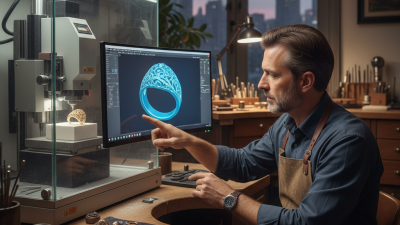
CAD/CAM combines computer-aided design with computer-aided manufacturing. A jeweler can shape a ring or pendant on screen, then prepare the file for a compatible machine. The software turns design details into toolpaths, which guide cutting, milling, or carving. Small changes matter. A fraction of a millimeter can affect how a stone fits or how a band feels on the finger.

The process can make repeated parts more consistent, but it does not replace skilled judgment. Settings, material, tool condition, and machine calibration all affect the result. A design that looks balanced on screen may feel too heavy in the hand. It is worth checking a physical sample before committing to a finished piece. I would not assume the first version is the best one; fit and finish often need revision.

Tips: Keep early designs simple. Check wall thickness and stone seats before production. Save a test piece, inspect its edges, and note what you would change next time. Small adjustments help.
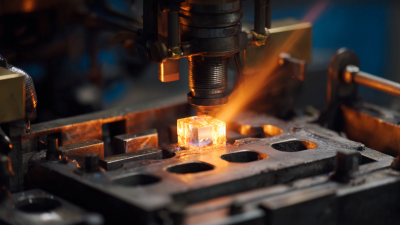
Top CAD/CAM Jewelry Machines for Jewelry Making

CAD/CAM workflows use digital designs to guide manufacturing equipment. This chart compares common CNC milling configurations by axis count: additional axes allow the tool or workpiece to move in more directions, helping machines produce more complex forms. Axis count alone does not determine quality or suitability; the design, material, and required finish also matter.

Types of CAD/CAM Machines Used for Jewelry Production

Top CAD CAM Jewelry Machines for Jewelry Making

Types of CAD/CAM Machines Used for Jewelry Production

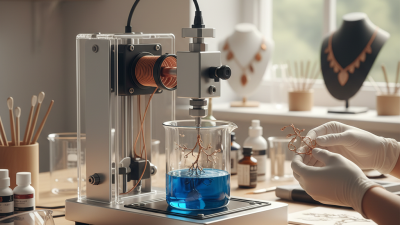
Jewelry production uses several machine types, each suited to a different stage. A resin 3D printer can turn a digital ring model into a detailed prototype or castable pattern. Fine prongs and engraved textures often show clearly, though supports may leave marks that need careful cleanup. Some printers produce metal parts directly, but they require specialized equipment and process control.

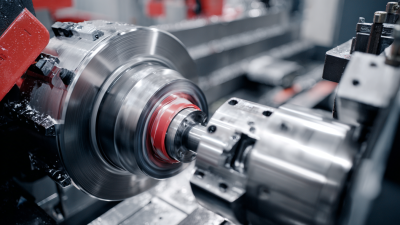
CNC milling machines cut wax, resin, or suitable metals using rotating tools. They work well for repeatable shapes, signet faces, and components needing precise dimensions. Small cutters can struggle with deep recesses or delicate details, so the design may need adjustment. Laser machines serve a narrower role: they can engrave names or patterns, and certain systems can weld small joints. They do not replace a printer or mill for every task.

Tips: Match the machine to your material and finishing process. Check the smallest feature size, setup time, and required ventilation before choosing. Make a test piece. It may reveal flaws the screen hides. A slightly imperfect first model is useful; it shows where the workflow needs more thought.

How Jewelry CAD/CAM Machines Shape and Finish Designs

Top CAD CAM Jewelry Machines for Jewelry Making
How Jewelry CAD/CAM Machines Shape and Finish Designs

A jewelry CAD/CAM workflow turns a digital model into a physical pattern or finished component. The designer checks wall thickness, stone seats, and small openings before sending toolpaths to a machine. A milling unit can carve a wax pattern from a solid block, leaving crisp prongs and fine surface lines. A resin printer builds a pattern layer by layer, which helps reproduce curved details and repeated parts. Small details matter.

The right process depends on the design and material. Wax milling suits many casting patterns, while resin printing can handle intricate geometry that is difficult to cut. Metal milling may produce a finished component, but tool access and material limits still shape what is practical. A narrow channel can look perfect on screen and remain unreachable to a cutting tool. That mismatch is easy to overlook.

Machines reduce repetitive handwork, but they do not make every surface ready to wear. Printed supports need careful removal, and cast or milled parts may need filing, polishing, or stone-seat adjustment. Inspect edges under magnification; a tiny burr can catch on fabric. Settings also matter: an overly aggressive cut may leave visible marks, while excessive polishing can soften sharp details. Not always. A sample run helps reveal these trade-offs before a full production batch.

Comparing Machine Capabilities, Materials, and Applications

Top CAD CAM Jewelry Machines for Jewelry Making

Choosing a CAD/CAM machine starts with the material and the detail required. Wax mills cut casting patterns from solid blocks, making them useful for rings, signet faces, and fine settings. Their cutting tools can reach crisp edges, but tiny burs may still need hand cleanup. That matters.

Resin 3D printers build intricate forms layer by layer, including hollow shapes and delicate textures. They suit prototypes and casting patterns, though supports can leave marks in visible areas. Not always.

For direct metal work, CNC mills shape suitable metals from stock, while laser systems mark or cut specific sheet materials. Milling offers controlled geometry for components such as bezels and wedding bands, but tool access limits deep undercuts. Laser results depend on material thickness, surface finish, and machine setup.

A polished sample can look different from a rough test piece. Compare working area, axis movement, tool changes, and repeatability—not just advertised resolution. In a small workshop, noise, dust collection, and time spent preparing files also affect daily use.

I would test a simple design first; digital workflows are precise, but they are not magically effortless.

Choosing and Maintaining a CAD/CAM Machine for Jewelry Work

Choosing a CAD/CAM machine for jewelry work starts with the pieces you actually make. Small wax masters, detailed signet faces, and repeated wedding bands place different demands on cutting area, spindle stability, and material handling. A compact mill may suit occasional prototypes, while steady production needs a dependable setup and accessible service. Don’t buy capacity you rarely use. It costs space and patience.

Before purchase, check which file formats the machine accepts and how easily its software fits your design process. Ask for a sample cut in the material you plan to use. Look closely at fine grooves and edges, not just the overall finish. A beautiful demo can hide a fiddly setup. Leave room for tools, dust collection, and safe access around the machine; a crowded bench makes routine work harder.

Maintenance is part of the machine’s real cost. Clear chips and wax residue after jobs, keep moving parts clean, and follow the maker’s instructions for lubrication and calibration. Check tool wear when cuts begin to look rough or dimensions drift. Keep a simple log of tool changes and service dates. Small habits matter. Still, maintenance schedules can feel excessive during a busy week, and skipping one check is tempting. That is often when a minor alignment issue spoils a batch of otherwise careful work.

Top CAD CAM Jewelry Machines for Jewelry Making - Choosing and Maintaining a CAD/CAM Machine for Jewelry Work
Machine Type Best Suited For Typical Materials Practical Capabilities Key Selection Factors Routine Maintenance
3-axis CNC wax mill Carving ring models, pendants, signet faces, and other casting patterns. Jewelry modeling wax and compatible machinable pattern materials. Good for accessible surfaces and many standard ring designs. Undercuts and complex hidden surfaces may require repositioning or a different machine configuration. Check the usable work area, spindle speed, tool compatibility, dust collection, and whether the machine can hold rings or small workpieces securely. Remove wax chips after use; inspect collets and cutting tools; clean the workholding area; follow the maker’s lubrication and spindle-care schedule.
4-axis or 5-axis CNC mill Detailed ring models, curved surfaces, multi-sided designs, and reduced manual repositioning. Jewelry wax and other materials explicitly supported by the machine and tooling. Additional rotary axes can reach more surfaces in one setup. Results depend on axis travel, tool access, CAM programming, and workholding. Compare rotary-axis capacity, usable tool length, machine rigidity, CAM support, setup requirements, and the training needed to program additional axes. Keep rotary fixtures clean; check clamps and axis movement; inspect tools; remove chips; verify machine alignment as specified in the service documentation.
CNC mill designed for precious metals Direct machining of suitable metal components, such as ring parts or small settings, when the machine is rated for the chosen material. Only metals and alloys approved for the machine, spindle, tooling, and cutting strategy. Can produce metal parts without first casting a wax pattern. Cutting performance and surface finish depend on machine rigidity, tooling, feeds, workholding, and material. Confirm metal compatibility, spindle and tool requirements, chip management, coolant or lubrication needs, enclosure design, and the full operating and service cost. Remove metal chips safely; clean and inspect the enclosure, workholding, and toolholders; check lubrication or coolant condition; inspect tools and follow scheduled service intervals.
Jewelry-oriented resin 3D printer Producing detailed models or castable patterns from CAD files without cutting them from stock. Castable photopolymer resins approved for the printer and the intended casting process. Builds parts layer by layer, which can support intricate forms. Printed patterns need the resin-specific washing, post-curing, and casting workflow. Check compatible resin options, build volume, layer settings, surface quality, software workflow, and the handling and ventilation requirements of the resin. Clean the build platform and resin vat; filter or replace resin as directed; inspect the vat film; keep optical components clean; follow resin handling instructions.
CAD/CAM workstation and software Designing jewelry, preparing toolpaths or print files, and checking a job before production. Digital designs and machine-specific post-processors; material choice depends on the connected production machine. Supports design-to-production workflows, but does not physically make parts on its own. Compatibility varies by software, machine, and file format. Verify file formats, machine compatibility, toolpath controls, licensing needs, computer requirements, and access to training or technical support. Back up designs and machine settings; keep software and drivers supported and updated; document tested toolpaths and maintain secure project files.
Selection and upkeep checklist Matching equipment to production volume, design complexity, materials, and operator experience. Choose only materials approved for the specific machine, tooling, resin workflow, and workshop setup. Request a sample part or demonstration using a representative design. Assess setup time, repeatability, finishing needs, and total workflow—not just advertised resolution or speed. Compare purchase price, tooling and consumables, installation, extraction or ventilation, training, service access, and expected workload. Use the machine’s maintenance manual for exact intervals. Keep a log of cleaning, tool changes, calibration checks, consumable replacement, and service visits.
Note: Capabilities and maintenance intervals vary by machine design, material, tooling, and operating conditions. Treat this table as a general selection guide, and verify specifications and safety requirements in the specific machine and material documentation.